
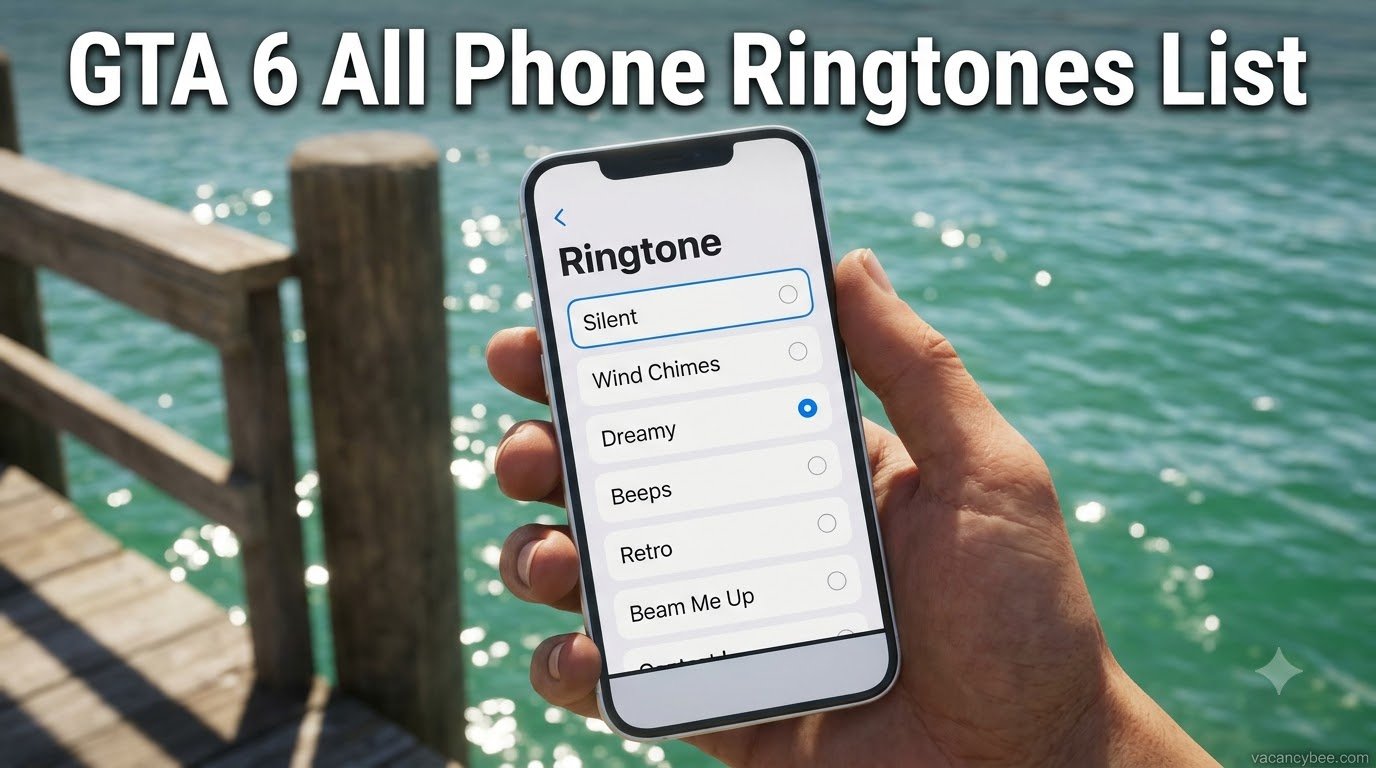
There are 7 phone ringtones in GTA 6: Silent, Wind Chimes, Dreamy, Beeps, Retro, Beam Me Up, and Bugging. I found every one of them inside the Settings app on Jason’s iFruit phone, and each option plays a preview the moment you select it. Wind Chimes is the standout — it’s Michael De Santa’s ringtone from GTA 5, and hearing those soft chimes again in Leonida is a proper nostalgia hit. Below I break down how every ringtone sounds, the exact button presses to change yours, and the wallpapers hiding in the same menu. Everything here is verified on the 2026 PS5 and Xbox Series X|S release.
| Quick Fact | Answer |
|---|---|
| Total ringtones | 7 |
| Full list | Silent, Wind Chimes, Dreamy, Beeps, Retro, Beam Me Up, Bugging |
| Where to change it | iFruit phone → Settings (gear icon) → Ringtone |
| GTA 5 fans’ pick | Wind Chimes (Michael’s ringtone) |
| Custom ringtones | Not available at launch |
| Platforms | PS5 and Xbox Series X|S |
All GTA 6 Ringtones and How They Sound
I cycled through the whole menu with headphones on, and Rockstar clearly put more personality into these seven tones than most games bother with. Here’s every GTA 6 ringtone and how it sounds:
| Ringtone | How It Sounds |
|---|---|
| Silent | No sound at all — calls just pop up quietly on screen |
| Wind Chimes | Soft, gentle chimes — the exact tone Michael uses in GTA 5 |
| Dreamy | Relaxed electronic melody close to a real-world Samsung ringtone |
| Beeps | Three clean beats with extra blips tucked between them |
| Retro | Funky 90s arcade-style bleeps with old-school gaming energy |
| Beam Me Up | Trippy sci-fi effect that keeps building louder the longer it rings |
| Bugging | Quirky alien-like warbles with no real melody |
Silent
Silent does exactly what it promises: incoming calls produce no ringing whatsoever. You’ll still see the call banner appear, so nothing is truly missed — you just won’t hear it. I use it during tense missions where a sudden chime would wreck the moment.
Wind Chimes
This is the nostalgia pick, and honestly the best of the seven. Wind Chimes is the same tone Michael De Santa answers by default on his phone in GTA 5 — soft metallic chimes over a gentle melody. Players have been setting it within minutes of booting the game, and I get it: it connects Vice City straight back to Los Santos.
Dreamy
Dreamy leans on a soft electronic loop that sounds lifted from a Samsung phone’s default library. It’s calm, pleasant and never annoying, which makes it my pick for long free-roam sessions where my phone rings constantly.
Beeps
Beeps is the most traditional option: three main beats with smaller blips in between, all in a simple electronic style. If you want the phone to sound like an actual phone instead of a sound effect, start here.
Retro
Retro is pure arcade energy — funky, slightly robotic 90s bleeps that sound like a cabinet game begging for your quarters. It has the loudest personality on the list, and it suits Vice City’s neon chaos perfectly.
Beam Me Up
Beam Me Up is the sci-fi oddball, a swelling effect that gradually gets louder with every pass. It’s genuinely strange in the best way, and impossible to ignore mid-mission — which is exactly the point.
Bugging
Bugging cycles strange, alien-like sounds instead of a melody, one quirky effect after another. It’s the joke option of the seven, and I’d bet most players either love it or switch it off within a minute.
How to Change Your Ringtone in GTA 6?
It takes about ten seconds once you know where the setting hides:
- Press Up on the D-pad to pull out your iFruit phone.
- Open Settings — the gear icon.
- Select Ringtone from the menu.
- Scroll the list and pick a tone. The phone plays it once as a preview the moment you select it.
- Back out when you’re happy — your choice saves automatically.
My advice: sort this out somewhere calm rather than mid-chase. Flicking through phone menus while driving is how you end up in a canal. The same menu also previews nothing until you actually select a tone, so tap through all seven before deciding.
Phone Personalization in GTA 6: Wallpapers and More
The ringtone screen is only half of the phone customization in GTA 6. Inside the same Settings app you can change your wallpaper, and the presets are nicer than expected: default backgrounds similar to real-life phone wallpapers, a set of beautiful landscape shots from around Leonida, and an image of Jason and Lucia together. You can’t upload your own photos as a wallpaper yet.
The Settings app matters beyond cosmetics, too. As you progress through the story it unlocks third-party plugins like a Cop Scanner and a Key Cloner, turning the phone into a proper tool rather than a prop. The iFruit also packs apps such as Snapmatic (social media), Whatup (messaging), Scooter Bros (vehicle summoning), WAiNK (vehicle checks), Fitness, News, and Weather — all reachable from the same home screen.
Michael’s GTA 5 Ringtone Easter Egg
Worth flagging separately because plenty of players miss it: Wind Chimes isn’t a random preset — it’s Michael De Santa’s ringtone from GTA 5, note for note. Rockstar quietly recycled it as a selectable option on Jason’s phone, and it’s the closest thing to a legacy cameo in the launch build. If you spent the last decade hearing those chimes interrupt every Franklin mission, you’ll recognize it within a single ring. For my money it’s the best-sounding option on the list purely on merit, before you even count the nostalgia.
Can You Add Custom Ringtones in GTA 6?
No — at launch there’s no way to add your own music or audio files as a ringtone. The seven presets above are the complete list, and Rockstar hasn’t announced a ringtone store, download feature, or companion app support. It’s a step back from GTA 4, which let Niko download new ringtones and live wallpapers from the in-game internet, so I’d keep an eye on future title updates. If Rockstar keeps expanding the phone the way it expanded GTA Online over the years, custom tones feel like an obvious addition — but as of November 2026, it’s presets only.
FAQs
How many ringtones are in GTA 6?
Seven. The full list is Silent, Wind Chimes, Dreamy, Beeps, Retro, Beam Me Up, and Bugging, all found in the phone’s Settings app.
How do you change your ringtone in GTA 6?
Press Up on the D-pad to open your phone, select the gear icon to enter Settings, choose Ringtone, then pick from the list. The phone previews each tone as you select it.
What is Michael’s ringtone in GTA 6?
Wind Chimes. It’s the same tone Michael De Santa uses by default in GTA 5, included on Jason’s iFruit phone as a selectable option.
Can you use your own music as a ringtone in GTA 6?
Not at launch. The seven preset tones are the only options, and no custom audio support has been announced.
Can you change your wallpaper in GTA 6?
Yes. Open Settings on your phone and choose Wallpaper — presets include default backgrounds, Leonida landscape shots, and a Jason and Lucia photo. Custom photos aren’t supported yet.
Related Content
- All GTA 6 Cheat Codes for PS5 & Xbox — 61 cheats, verified D-pad inputs and unlock requirements.
- GTA 6 Map Guide: Every Region in Leonida — every region and district across the state.
- How to Unlock GTA 6 Ultimate Edition Content — every Ultimate item and how it surfaces in-game.

Related Articles