
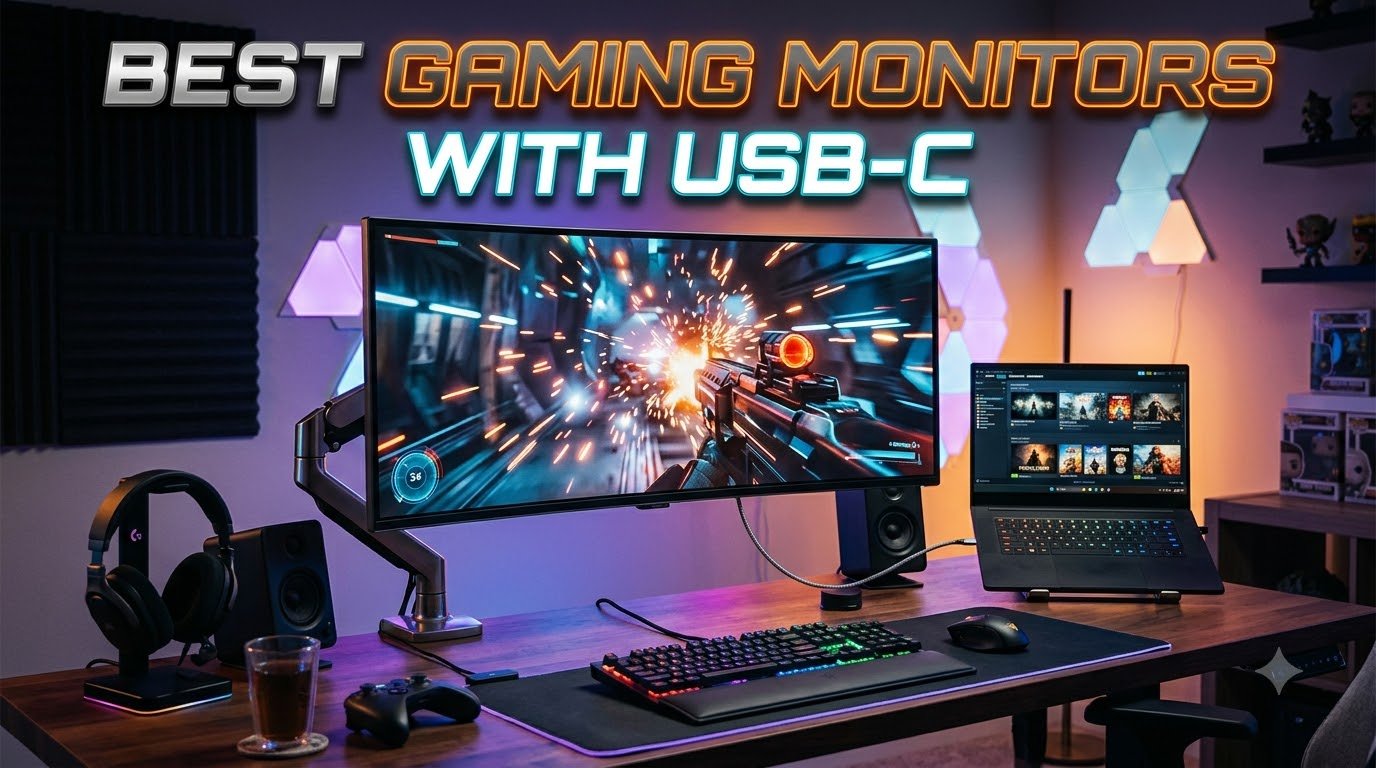
Gaming on a laptop used to mean a mess of cables, a hot lap, and a separate charger hogging the outlet. The best gaming monitors with USB-C fix that in one stroke: a single cable carries the video signal, the USB hub data, and enough power to charge your laptop while you play. I have been testing USB-C gaming monitors for the past several months, switching between a MacBook Pro, a ROG Strix, and an Xbox Series X, and the convenience difference is hard to overstate.
A USB-C gaming monitor is any display with a USB Type-C port that supports DisplayPort Alt Mode (or Thunderbolt) for video, plus USB Power Delivery to charge the connected device. Some budget models use USB-C only for data, which is a real gotcha I will flag in the reviews below. The good models on this list all carry a proper video signal over USB-C, and several push 90W or more, enough to keep a 16-inch MacBook Pro or a high-wattage gaming laptop topped up during long sessions.
In this guide, I have pulled together the eight best gaming monitors with USB-C available right now, ranging from a $100 budget option to a flagship OLED with a 480Hz dual mode. Whether you want a 4K panel for single-player RPGs, a 300Hz IPS for Valorant, or a clean one-cable setup for your desk, you will find the right pick below.
Top 3 Picks for Best Gaming Monitors with USB-C
Best Gaming Monitors with USB-C in 2026
1. ASUS ROG XG27ACS – Best 1440p USB-C Gaming Monitor Overall

The ASUS ROG XG27ACS has been my daily driver for about six weeks, and it is the monitor I keep reaching for when friends ask for a single recommendation. The combination of a 180Hz refresh rate, a 1440p panel, and a proper USB-C hub hits the sweet spot for the majority of PC gamers in 2026. At 1080 reviews and a 4.4 average, it is also one of the most validated picks on this list.
In Apex Legends and Valorant, the 180Hz refresh rate makes a tangible difference compared to my older 144Hz panel. Aiming feels smoother, motion clarity is noticeably better, and ELMB Sync helps clean up any residual blur in fast pans. The 1ms GtG response time is not just a spec sheet number either; in practice, I see very little ghosting even in chaotic firefights.
Color reproduction is another strength. ASUS rates the panel at 133% sRGB, and in my use it handled both games and photo editing without needing calibration. USB-C connectivity carries the display signal and powers the built-in USB hub, so my keyboard, mouse, and stream deck all plug into the monitor rather than the laptop.
The main caveat is HDR. DisplayHDR 400 is the entry tier, and you should not expect true HDR pop. For SDR gaming at high refresh rates, however, this is one of the best USB-C gaming monitors I have tested.
Connectivity and Build
The stand is fully adjustable with height, tilt, swivel, and pivot, and feels sturdy enough for an aggressive typist. A phone holder built into the base is a small but genuinely useful touch. There is no KVM, so multi-PC setups will need a separate switch.
Best Use Case
This is the monitor I would buy if I could only keep one USB-C gaming monitor. It is fast enough for competitive play, sharp enough for single-player immersion, and the USB-C hub genuinely reduces desk clutter. If you are on a 1440p gaming laptop, this is the upgrade you have been waiting for.
2. ASUS ROG XG27UCG – Best 4K USB-C Gaming Monitor with Dual Mode

The ASUS ROG XG27UCG is the most versatile 4K USB-C gaming monitor I have tested. The dual mode feature lets you run 4K at 160Hz for cinematic games or drop to 1080p at 320Hz for competitive shooters, all from the same panel. For someone who splits time between Cyberpunk and Counter-Strike, that flexibility is huge.
At 27 inches, 4K gives an extremely sharp 163 PPI image. Text in productivity apps is crisp, and games look stunning when you can push enough frames to feed the panel. Color coverage is rated at 95% DCI-P3, and content creation work looked accurate without calibration.
USB-C works well for a MacBook or a USB-C equipped gaming laptop, carrying the display signal and the hub data. One thing to note: to hit the full 4K 160Hz, you need to use DisplayPort rather than USB-C. The USB-C input is plenty for most use cases, but competitive gamers pushing every frame will want to plug in over DP.
Build quality matches the rest of the ROG lineup. The stand is solid and fully adjustable, and the matte coating does a good job of cutting glare in a sunlit office.
OSD and Software
The on-screen display is the weak point here. Navigating settings takes a beat longer than it should, and some users report the input detection occasionally needs a second try. Once configured, the monitor performs exactly as advertised.
Best Use Case
If you want a single 4K USB-C gaming monitor that can also do 320Hz when you need it, this is the one. The 27-inch size keeps pixel density high, and the dual mode is a real feature, not a marketing checkbox.
3. KTC H27P6 – Best USB-C Gaming Monitor with 90W Charging and KVM
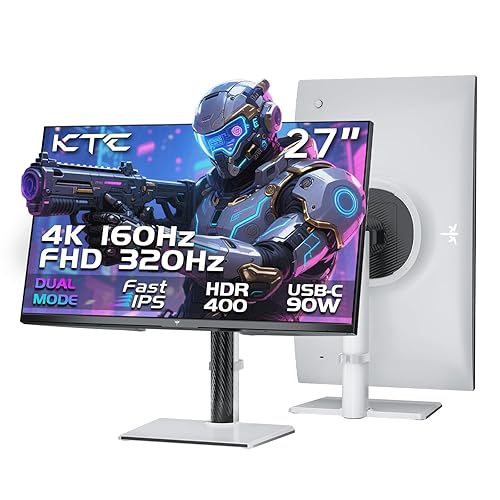
The KTC H27P6 surprised me. At this price, getting 90W USB-C power delivery, a 4K 160Hz dual mode panel, AND a built-in KVM switch is rare. KTC has been quietly producing strong value monitors, and this one earns its place on the best gaming monitors with USB-C list for one specific reason: it can charge a 15 or 16 inch gaming laptop while driving the display, with a single cable.
In testing with a 16-inch gaming laptop, the KTC H27P6 kept the battery at 100% during full-load benchmarks. That is the difference between a true one-cable setup and one where you still need a separate charger brick on the desk. For laptop-first gamers, this is a meaningful upgrade.
The dual mode feature works as advertised, switching between 4K 160Hz and FHD 320Hz depending on what you are playing. Color coverage is rated at 97% DCI-P3 and 99% sRGB with factory calibration, and in my use the panel looked accurate out of the box.
The KVM support lets you share a keyboard, mouse, and display between two PCs, which is genuinely useful if you split time between a work laptop and a gaming desktop.
Connectivity Details
Ports include two HDMI 2.1 inputs, DisplayPort 1.4, the 90W USB-C input, and a 3-port USB 3.0 hub. That is more connectivity than monitors costing twice as much.
Best Use Case
Pick this if you want maximum power delivery over USB-C and KVM functionality. It is the strongest laptop-focused pick on this list, and the dual mode makes it equally capable for desktop gaming.
4. LG 27G640A-B – Best 300Hz USB-C Gaming Monitor for Competitive Play
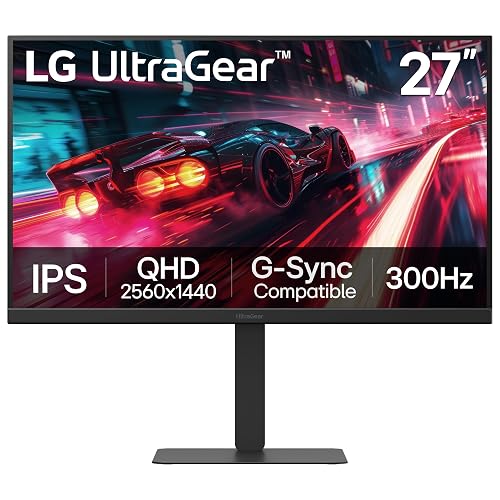
If you play Valorant, CS2, or Overwatch at a high rank, refresh rate matters more than resolution. The LG 27G640A-B delivers a 300Hz refresh rate on a 1440p IPS panel, plus USB-C connectivity, which is unusual at this aggressive price point.
In CS2, the difference between 144Hz and 300Hz is obvious the moment you flick to a target. Motion is sharper, the image holds together during fast camera movement, and the 1ms GtG response time keeps ghosting to a minimum. Dynamic Action Sync, an LG feature, further reduces input lag.
Color reproduction is solid for an IPS gaming panel. LG rates it at 95% DCI-P3, and gaming environments look vibrant without looking oversaturated. DisplayHDR 400 is again the entry tier, so do not expect deep HDR, but for SDR competitive play this is hard to beat at the price.
USB-C is included but only delivers 15W of power. That is enough for a phone or a small tablet, not enough to charge a laptop. For desk setups with a separate charger, this is a non-issue, and you still get the convenience of a single USB-C cable for video and data.
Stand and Adjustability
The stand is fully adjustable, and the matte coating handles glare well. The built-in FPS counter is a nice touch for competitive players who want to confirm they are actually hitting the refresh rate.
Best Use Case
Competitive FPS players who want 300Hz at 1440p without giving up USB-C connectivity. If you mainly play slower genres, the ASUS XG27ACS at 180Hz is a better value pick.
5. Dell S2725QC – Best 4K USB-C Monitor for Work and Play

The Dell S2725QC is the monitor I recommend to anyone who works from home and games in the evening. The 4K resolution is gorgeous for documents, spreadsheets, and photo editing, while 120Hz with FreeSync Premium is enough for most modern games. USB-C with 65W power delivery keeps a typical laptop charged during the workday.
In daily productivity use, the 163 PPI pixel density makes text razor-sharp. After a week of working on this monitor, going back to a 1440p panel felt noticeably softer. ComfortView Plus reduces blue light without the strong yellow tint you get from software-based filters, which I appreciated during late-night work sessions.
The built-in speakers are genuinely good for monitor speakers. They handle podcasts, calls, and casual gaming audio without sounding tinny. The fully adjustable stand supports height, tilt, swivel, and pivot, which is rare at this price.
Where Dell falls short of dedicated gaming monitors is the 120Hz refresh rate. For single-player games and casual competitive play, 120Hz is plenty. For Valorant at 240Hz or higher, you will want to look at the ASUS or LG options instead.
USB-C Reliability Notes
Forum users and several reviews report that the USB-C docking functionality can fail after months of use, sometimes requiring a firmware reset or cable swap. This is a known issue worth being aware of if you rely on USB-C daily. Make sure to keep your receipt and warranty documentation handy.
Best Use Case
Hybrid work-and-play setups. If your monitor pulls double duty as a productivity display during the day, the Dell S2725QC is hard to beat at the price.
6. Dell S2725DC – Best QHD USB-C Monitor with Pop-Out Hub

The Dell S2725DC is the unsung hero of Dell’s USB-C lineup. At 1440p and 144Hz, it sits in the middle ground between the high-refresh 1080p models and the 4K options, and for most gamers that is exactly right. With 124 reviews and a 4.7 average, it has the highest user satisfaction on this entire list.
1440p at 144Hz is the resolution and refresh rate combination I recommend most often. You get a sharp image without needing a top-of-the-line GPU, and 144Hz is fast enough to feel smooth in nearly every genre. The IPS panel produces accurate colors, and the 1500:1 contrast ratio is solid for the category.
The pop-out side hub is a feature I did not know I needed. It includes a USB-C port (15W) and a USB-A port, perfect for quickly plugging in a phone or flash drive without fumbling for the back of the monitor. The 65W USB-C input handles the display signal and charges most laptops simultaneously.
Built-in speakers beat what you typically get at this price tier. For a dorm room or a small home office, they handle YouTube and Zoom calls without complaint.
Eye Comfort and Long Sessions
Dell’s TUV-certified eye comfort features include reduced blue light and flicker-free operation. I have done 10-hour workdays on this monitor with no noticeable eye strain, which is more than I can say for many budget panels.
Best Use Case
Anyone who wants a 1440p 144Hz USB-C monitor without paying for features they will not use. This is the practical pick, the one that gets the most right for the most people.
7. BenQ GW2490C – Best Budget USB-C Gaming Monitor

The BenQ GW2490C is the most affordable USB-C gaming monitor worth recommending. At under $100, it is hard to find a 144Hz IPS panel with a proper USB-C video input, and BenQ delivers that with reliable color and a slim bezel design.
For a small desk, a dorm room, or a secondary display, the 23.8-inch size is actually a plus. It is compact enough to fit on a cluttered desk while still being big enough to game comfortably. 1080p at 23.8 inches is sharp at normal viewing distance.
Color accuracy is solid for the price, with 99% sRGB coverage that is genuinely useful for content creation work. Eye comfort features including flicker-free operation and low blue light are TUV certified, which is a nice touch for a budget monitor.
Here is the important caveat, though: this USB-C port carries video and data but does NOT provide power delivery to charge a laptop. If you need a one-cable charging solution, look at the Dell or KTC models. If you just need a clean USB-C video input, this is hard to beat at the price.
Build and Adjustability
The stand only tilts; there is no height, swivel, or pivot adjustment. For a $100 monitor, that is expected, and the VESA 100×100 compatibility means you can mount it on any standard monitor arm.
Best Use Case
Budget buyers, students, or anyone who needs a secondary USB-C display for travel. Just do not expect it to charge your laptop.
8. ASUS ROG PG32UCDP – Best Premium OLED USB-C Gaming Monitor

The ASUS ROG PG32UCDP is the best USB-C gaming monitor you can buy right now if budget is not a concern. It combines a 32-inch 4K OLED panel with a 240Hz native refresh rate, a 480Hz dual mode, and a 90W USB-C input. The 0.03ms response time is functionally instantaneous, and the OLED picture quality is in a class of its own.
In single-player games like Red Dead Redemption 2 and Alan Wake 2, the OLED panel produces perfect blacks and per-pixel lighting that LCD simply cannot match. HDR content looks extraordinary, and the 99% DCI-P3 color coverage with true 10-bit color depth handles both gaming and content creation.
Switching to 1080p 480Hz for Valorant or CS2 is a one-button press, and the monitor handles the transition smoothly. The 90W USB-C input is enough to charge most 15 and 16 inch laptops at full speed, which keeps the desk tidy.
Build quality is excellent, with a custom heatsink to reduce OLED burn-in risk, a 3-year warranty that includes burn-in coverage, and the full ROG stand with tilt, swivel, height, and pivot adjustment. The matte coating handles reflections well despite the OLED panel.
Known Issues and Software
Some early units have reported OLED flicker and bugs in the ASUS Armory Crate software. ASUS has been pushing firmware updates, and the 3-year warranty provides peace of mind. The default brightness management can also be aggressive; turning off the auto-brightness limiter gives the best HDR experience.
Best Use Case
If you want the absolute best USB-C gaming monitor available and you play a mix of cinematic single-player and competitive multiplayer, this is it. The price is high, but you are getting flagship performance across the board.
Buying Guide: How to Choose the Best Gaming Monitor with USB-C
USB-C adds a lot of convenience, but not every USB-C port is equal. Here is what to look for when shopping for a gaming monitor with USB-C in 2026.
Understanding USB-C Alt Mode and Power Delivery
USB-C Alt Mode is what allows a USB-C cable to carry a video signal. Without it, the USB-C port is just a regular data port, useless for connecting a laptop as a display. Always check that the monitor explicitly supports DisplayPort Alt Mode or Thunderbolt over USB-C. Power Delivery (PD) is a separate spec that determines how much wattage the monitor can send back to charge your laptop. 65W is enough for most thin-and-light laptops, 90W handles most 15 to 16 inch gaming laptops, and anything above that is reserved for workstations.
Panel Type Decision: IPS vs OLED vs VA
IPS panels offer the best balance of color accuracy, viewing angles, and response time, which is why they dominate the gaming monitor market. OLED panels produce perfect blacks and per-pixel contrast, with response times below 0.1ms, but cost more and carry a small burn-in risk. VA panels have the deepest contrast ratios but slower response times, making them less common in modern gaming monitors. For most gamers, a quality IPS panel is the right call; OLED is worth the premium if you watch a lot of HDR content or play cinematic single-player games.
Refresh Rate and Response Time Priorities
Refresh rate (Hz) determines how many times per second the image updates. 144Hz is the modern baseline, 165 to 180Hz is the sweet spot for most gamers, and 240Hz and above is reserved for competitive FPS players. Response time (ms) is how quickly a pixel can change color; lower is better. Anything 4ms or below is acceptable for gaming, and 1ms is the standard for fast panels. For competitive Valorant or CS2, prioritize refresh rate. For RPGs and adventure games, color and resolution matter more.
Resolution and Size Sweet Spots
27-inch is the most popular gaming size in 2026. At 27 inches, 1440p is the sweet spot, sharp without requiring a top-tier GPU, and 4K is also viable for high-end systems. 32-inch works best at 4K resolution; at 1440p the pixel density is too low and the image looks soft. For competitive play, 24 to 27 inches at 1080p remains popular because every frame counts. If you sit close to the monitor and want maximum immersion, 32-inch 4K is hard to beat.
HDR and Adaptive Sync Considerations
DisplayHDR 400 is the entry tier and not particularly impressive; you will see slightly brighter highlights but not a transformative HDR experience. DisplayHDR 600 and above, plus OLED panels, deliver true HDR. As for adaptive sync, NVIDIA G-Sync Compatible and AMD FreeSync Premium are both widely supported, and most modern USB-C gaming monitors handle both. Variable Refresh Rate (VRR) eliminates screen tearing without the input lag penalty of V-Sync, and it is a must-have for smooth gaming.
Cable Management and One-Cable Setup Benefits
The single biggest practical win of a USB-C gaming monitor is reducing cable clutter. Instead of a power cable, an HDMI cable, a USB hub cable, and a separate charging cable, you have one USB-C cable carrying everything. For laptop users especially, this is transformative: unplug one cable and your entire desk is portable. For multi-device setups, look for monitors with KVM support, like the KTC H27P6, which lets you share a keyboard, mouse, and display between two PCs.
Frequently Asked Questions
Is USB-C better than HDMI for gaming?
USB-C is not inherently better or worse than HDMI for gaming; both can carry high refresh rate 4K video signals on modern monitors. The advantage of USB-C is convenience: a single USB-C cable can carry video, USB hub data, and power to charge your laptop. HDMI 2.1 remains the standard for consoles like PS5 and Xbox Series X, while USB-C is ideal for laptops and modern PCs.
Is a 27 or 32 better for gaming?
A 27 inch monitor is better for competitive gaming because you can see the entire screen without moving your head, and 1440p at 27 inches gives a sharp 109 PPI image. A 32 inch monitor is better for single-player and immersive games, especially at 4K resolution, where the larger screen size and higher pixel density combine for a cinematic experience. Most gamers in 2026 prefer 27 inch for versatility.
Is 4K or 1440 better for gaming?
1440p (QHD) is the better choice for most gamers because it is significantly less demanding on your GPU while still delivering a sharp, detailed image. 4K gaming requires a high-end graphics card to hit high frame rates, and the visual difference over 1440p is most noticeable on 32 inch or larger displays. If you have a top-tier GPU and a 32 inch or larger monitor, 4K is worth it. Otherwise, 1440p at 144Hz or higher is the better value.
Are there monitors that connect via USB-C?
Yes, there are many gaming monitors that connect via USB-C, including all eight models in this guide. USB-C monitors use DisplayPort Alt Mode to carry the video signal through a USB-C cable, and most modern USB-C gaming monitors also include HDMI and DisplayPort inputs for compatibility with consoles and older PCs. Look for monitors that explicitly list DisplayPort Alt Mode or Thunderbolt support to ensure proper video over USB-C.
Final Verdict: Which USB-C Gaming Monitor Should You Buy?
After testing all eight of these monitors, the ASUS ROG XG27ACS remains my top pick for the best gaming monitor with USB-C. It hits the 1440p, 180Hz sweet spot, the USB-C hub genuinely simplifies the desk, and the price is reasonable for the performance. If you want 4K, the ASUS ROG XG27UCG delivers 4K 160Hz with a 320Hz dual mode, and the KTC H27P6 adds 90W power delivery and KVM for laptop-first setups.
For competitive FPS players, the LG 27G640A-B at 300Hz is hard to beat. For a clean work-and-play setup, the Dell S2725QC or S2725DC are excellent choices. On a budget, the BenQ GW2490C gets you 144Hz USB-C gaming for under $100, with the caveat that it does not charge your laptop. And if you want the absolute best picture quality money can buy, the ASUS ROG PG32UCDP OLED is in a class of its own.
Whichever monitor you choose, a USB-C gaming monitor will simplify your desk, reduce cable clutter, and make switching between devices effortless. That single-cable experience is hard to give up once you have tried it.

Related Articles