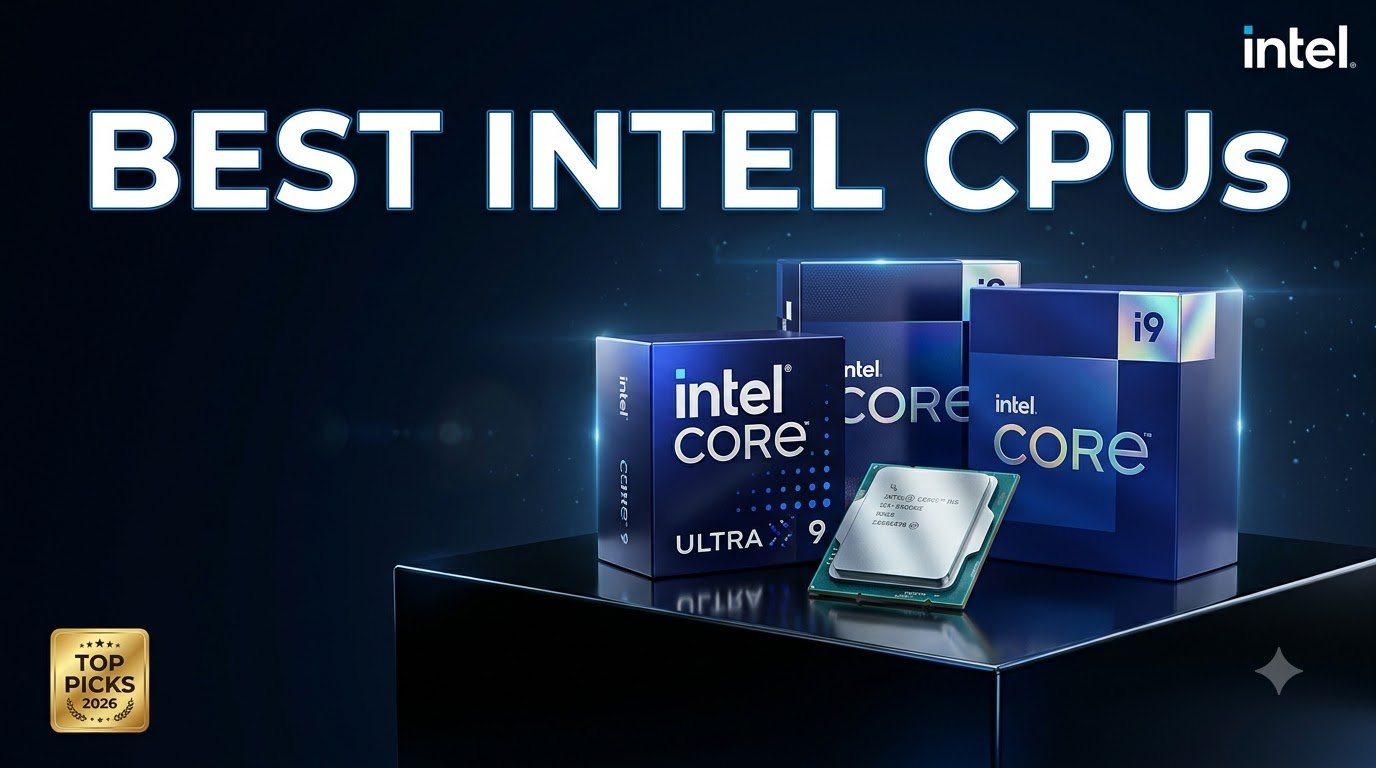
Choosing among the best intel CPUs gets complicated when a processor cannot handle your games, background work, or existing motherboard. Intel CPUs for gaming PCs require you to settle gaming performance per watt, multi-core productivity, and socket and memory compatibility. I know the frustration because a narrow decision can force new parts later.
Intel CPU Core i5-12400F is where I would start for an everyday gaming desktop, because its six cores and 65 W power rating cover gaming without adding heavy multitasking demands. When games, streams, and creation must run together, Intel Core i9-14900K offers the extra room, with 24 cores and 32 threads.
The 3 Best Intel CPUs to Start With
All 12 Picks at a Glance (December 2026)
How These Picks Made the List?
Picture a finished desktop stuttering under a game as streaming software runs behind it; that is when a processor falls short. We compared core count, stated wattage, and the cooling each model asks for. More cores give parallel work room, and lower wattage can reduce the power and cooling demands around the chip.
The socket and memory type decide whether you can reuse a motherboard and installed modules. We also weighed the whole build, including a cooler, graphics card, and power supply, because missing parts can derail the build. For the best intel CPUs, a recommendation works only when those physical parts fit together.
1. Intel CPU Core i5-12400F: Editor’s Choice

The Intel CPU Core i5-12400F runs at a 65 W base power, keeping cooling demands modest for most builds. It uses the LGA1700 socket, so a compatible 600‑series motherboard is required for proper installation. Six performance cores and twelve threads handle gaming and everyday desktop tasks smoothly without extra power draw. The 65 W rating also means lower electricity cost over time for typical home users.
A separate cooler is needed because the box does not include one, so plan for an aftermarket solution. Pair it with a reliable power supply and keep airflow clear for stable operation during long sessions. Remember to update the motherboard BIOS before first boot to ensure full compatibility.
Is Six Cores Enough?
Six cores limit simultaneous heavy workloads compared with hybrid designs that offer more threads for parallel tasks. When a game, a stream, and a creation app run together, the processor can become a bottleneck. The 1‑year manufacturer warranty is the shortest among the options, which may concern long‑term owners. For pure gaming or light multitasking the limit rarely appears often enough to affect daily use.
Balanced Gaming Builds
Choose this processor when gaming and ordinary desktop tasks matter more than maximum multitasking capacity. It works for builders who do not need more than six cores for parallel work. I like that it keeps the system cool and still delivers solid gaming performance. The straightforward platform stays on LGA1700 without forcing a newer socket or extra expense.
2. Intel Core i9-14900K: Premium Pick

Enthusiasts running games, streams, and creation together need room for overlapping work. The Intel Core i9-14900K combines 24 cores with 32 threads, and Intel says it boosts up to 6.0 GHz for responsive gameplay. You need an LGA1700 motherboard: an Intel 600-series board may need a BIOS update, or you can use a 700-series chipset board.
During a busy session, the eight performance cores and 16 efficient cores divide demanding and lighter background work. Its 125 W power rating calls for a capable desktop power setup, especially during sustained loads. The 36 MB secondary cache gives frequent-data retrieval more room for mixed applications.
Treat the motherboard as part of the processor purchase, because its BIOS and chipset support the installation. Install the board’s current chipset drivers after assembly, then let the system identify the processor before changing tuning settings. The socket and chipset determine compatibility, and the board’s memory support determines whether your DDR4 or DDR5 modules work.
Is the Platform Still Current?
The LGA1700 platform is less current than an LGA1851 option, so a new build needs a different motherboard generation to use that newer platform. This processor requires LGA1700, and 600-series boards may need a BIOS update before installation. The 125 W rating also asks for a capable desktop power setup, which adds another part to plan carefully. For enthusiasts already holding a compatible board, those constraints are less pressing; for first-time builders, they can shape the entire platform.
Games Streams and Creation
This processor is a strong match for an enthusiast who runs games, streams, and creation apps in one session. The 24-core, 32-thread design gives those workloads room to overlap, and the 3 year warranty adds longer coverage than shorter-warranty picks. An existing compatible LGA1700 board makes the platform easier to reuse, and a new system needs that socket planned from the start. It is aimed at mixed workloads rather than basic office use, which has simpler requirements.
3. Intel Core i5-12600KF: Best Value

Hybrid-work gamers on an LGA1700 build want multitasking without changing platforms. Intel describes the processor as unlocked for tuning, and it runs 16 threads. I understand why hybrid-work gamers gravitate to this chip when they want tuning without a platform change.
Its cooling method is air, so keep the heatsink and airflow path properly seated over the processor. When you change tuning settings, raise power settings and cooling capacity together rather than overclocking in isolation. Install the motherboard’s current chipset drivers after setup so the 600-series or 700-series board recognizes the processor.
Compatibility starts with an LGA1700 motherboard from a supported Intel 600-series or 700-series chipset. The board also needs to support the memory type in your build, because this platform can use DDR4 or DDR5 depending on the board. Intel says the processor uses the LGA1700 socket for installation on the PCB, so a different socket cannot accept it. A discrete graphics card is required, which adds another necessary part to the build.
Is Discrete Graphics Essential?
This processor has no integrated graphics, so a separate graphics card is required for the display output in the build. Its LGA1700 socket also needs a compatible 600-series or 700-series chipset motherboard. The 125 W power rating adds another setup requirement, because a capable desktop power setup should support the processor during sustained work. These requirements matter for a fresh build, but they are manageable when the board, graphics card, and power supply are planned together.
Hybrid Gaming Builds
Choose this processor for hybrid-work gamers who already have an LGA1700 platform and want more multitasking headroom than a six-core build. Its 10-core hybrid design, 16 threads, and unlocked tuning give it room for games and background applications together. A discrete graphics card and a compatible 600-series or 700-series chipset motherboard are required additions for a new system.
4. Intel Core i5-13600K: Best for Hybrid Gaming

Intel Core i5-13600K gives gamers who tune their systems a useful combination of clock speed and multi-core capacity. Its unlocked boost reaches up to 5.1 GHz for demanding games and tuned workloads. Intel says the hybrid design sends heavy tasks to 6 P-cores while 8 E-cores handle lighter work across 20 threads. Integrated Intel UHD Graphics 770 also supports display output without a separate graphics card.
The main trade against Intel Core i5-12600KF appears in power draw, where this processor requires 181 W compared with 125 W. That gap can push you toward a beefier cooling setup and a less forgiving power budget. I would choose 12600KF when lower power matters more, and this model when tuning headroom is the priority.
Plan the build around an Intel 600-series or 700-series chipset motherboard, since both families can work with this processor. Some 600-series boards may need a BIOS update, so handle that before the first boot. You will need to add suitable cooling because no thermal solution is included. Its integrated Intel UHD Graphics 770 gives you a way to display basic output without adding a graphics card.
An unlocked processor rewards system tuning, but its settings must work with the motherboard, memory and cooling you choose. Avoid raising clocks without checking those limits first. A stable tuning setup also gives you more confidence during demanding games and long mixed-work sessions than an untested extreme configuration.
Small Compromises
The 181 W requirement is this model’s main burden. It asks more from cooling and power provisioning than a lower-draw hybrid chip, so your case and power supply deserve particular attention. That extra demand is worth accepting for unlocked tuning and 20-thread multitasking, but it matters more for a compact or power-conscious build.
Dedicated Tuning Builds
Pick Intel Core i5-13600K when you want an unlocked LGA1700 processor with 14 cores and 20 threads for tuned gaming and mixed work. Its 181 W draw makes it a stronger match for a dedicated desktop than a build where power and cooling are tight. Intel Core i5-12600KF meets a strict 125 W power budget better because its draw is lower. Tuning makes this my pick for a dedicated desktop build when extra heat and power are acceptable.
5. Intel Core i5-14400F: Best for Cooler Included

Intel Core i5-14400F removes one common purchase from a modern hybrid build by including the RM1 thermal solution. Its 10 cores and 16 threads give you capacity for mixed work, while the unlocked processor reaches up to 4.7 GHz. Intel says its hybrid design divides foreground and background work, and its platform support covers both DDR4 and DDR5.
At 148 W, it draws more than the 125 W Intel Core i5-12600KF, so cooling and power planning need to account for the difference. That difference can matter when your build has a firm power ceiling or a limited cooling setup. For your build, the included cooler removes one shopping step without removing the need to plan around 148 W.
Before assembly, match the processor with an Intel 600-series or 700-series chipset motherboard. The 600-series option may need a BIOS update, so handle that before the first boot. Install the included RM1 thermal solution as part of the processor setup. A discrete graphics card is also required because this processor does not handle display output on its own.
Use the motherboard’s supported memory type rather than mixing DDR4 and DDR5 in the same system. Either works with a compatible board, but the board and installed memory must agree. The 20 MB cache and 16 threads give the CPU room for games, background applications and content work without changing processors later.
Power Graphics Constraints
The main extra demand is the 148 W power requirement, which is higher than the 125 W hybrid alternative. A strict power cap makes the lower-draw alternative easier to accommodate, so this model loses ground in tightly constrained builds. Discrete graphics are also required, adding another component to source. For most desktop builders, the included RM1 and modern hybrid performance outweigh those constraints.
Modern Hybrid Builds
I would choose Intel Core i5-14400F when you want modern hybrid performance and a cooler already in the box. Its 10 cores, 16 threads and support for both DDR4 and DDR5 leave room for mixed work and platform choice. Intel Core i5-12600KF remains the better match under a strict 125 W cap because its power draw is lower. For a modern LGA1700 desktop where cooling convenience matters, this processor is the more complete starting point.
6. Intel Core i7-14700KF: Best for Heavy Gaming

Intel Core i7-14700KF targets high-refresh gaming builds that already use a discrete graphics card and an LGA1700 motherboard. Because it uses LGA1700, it does not fit an LGA1851 board. Intel supports DDR5 and DDR4 memory, so you can match an existing board’s memory type. Its 33 MB cache accompanies an unlocked design for performance tuning.
Up to 5.6 GHz gives demanding games a high boost ceiling, while the unlocked design offers room for additional tuning. Intel says 8 P-cores and 12 E-cores divide mixed workloads across 28 threads. That division lets foreground games and background tasks share a larger processing pool. PCIe 5.0 and PCIe 4.0 support also expand your compatible expansion options.
Install it in an LGA1700 motherboard, then use either DDR4 or DDR5 according to that board’s supported memory type. Provide a discrete graphics card for display output because the processor lacks integrated graphics. Plan cooling around its 125 W power draw as well.
Overclocking depends on a stable motherboard, suitable memory and cooling that can handle sustained workloads. Start with conservative tuning rather than forcing the maximum clock immediately. The 5.6 GHz boost remains the main performance target, while the 28 threads give you room to keep demanding games and background work active together.
Does It Matter?
For a new build, the discrete graphics requirement and LGA1700 socket narrow where this processor can go. The graphics requirement matters when you expect the processor to handle display output by itself. It matters less if your system already has a suitable card. The socket matters if you want the newer LGA1851 platform, because this processor does not fit those boards.
High Refresh Gaming
For a high-refresh build, this processor fits my priorities when you already have a discrete graphics card and need 20 cores for mixed work. Its 5.6 GHz boost and 28 threads give demanding games and background tasks more room. The unlocked design also lets you tune performance when your motherboard and cooling support it. For an LGA1700 build, it works well with established platforms, but it cannot replace a discrete card or fit an LGA1851 socket.
7. Intel Core Ultra 9: Best for Creator Work

Intel Core Ultra 9 delivers 24 cores split into eight performance and sixteen efficient cores for heavy creator workloads. Its 5.7 GHz maximum speed and 40 MB cache keep large projects responsive. Before powering on, seat the processor in an LGA 1851 socket on an Intel 800‑series motherboard, apply thermal paste, and mount a separate cooler because none is included.
Plan a 125 W power budget and a capable cooling solution, since sustained rendering pushes the thermal envelope. The chip runs only on Windows 11, so verify your OS before building. A three‑year manufacturer warranty covers defects, giving peace of mind for a workstation that stays on day and night.
Where It Could Be Better
You must purchase an Intel 800‑series motherboard and a capable cooler, because the processor ships without any thermal solution. A power supply rated for at least 125 W plus system overhead is also required. These requirements matter most when starting a new workstation, but they matter less if you already own a compatible LGA 1851 board and adequate cooling. The added cost and assembly steps can be a hurdle for a first‑time builder.
Creator Workstation Build
The eight performance cores and sixteen efficient cores divide demanding production tasks, while the 5.7 GHz peak speed accelerates intensive work. Its 40 MB cache supports large data sets, and the three‑year warranty adds long‑term support. If you are assembling a new creator workstation on the latest Intel desktop platform and have the required motherboard and cooling planned, this processor fits the build. For lighter workloads or older platforms, a lower‑core alternative would be more economical.
8. Intel Core Processor 265KF Core: Best for Hybrid Tasks

Intel says the processor uses the LGA 1851 socket and only fits motherboards built on Intel 800-series chipsets. Those boards also demand DDR5 memory, meaning any existing DDR4 kit cannot be reused. If the motherboard or memory is mismatched, the build will not start, so plan those parts together.
Eight performance cores and twelve efficient cores split foreground work from background tasks across twenty threads. I understand how frustrating it feels to start a new platform from scratch. A 5.5 GHz peak clock and 30 MB secondary cache keep responsive performance when editing or rendering.
A cooling solution rated for at least 125 watts is needed when all threads stay busy. The three‑year manufacturer warranty covers the processor itself. Choosing a compatible cooler early avoids thermal throttling later.
Motherboard Platform Restriction
The processor only works with Intel 800-series chipset motherboards and DDR5 memory. That requirement prevents reusing older boards or DDR4 kits, so a fresh platform is necessary.
Will This Work for a Fresh Hybrid Build?
This processor gives hybrid creators a responsive twenty‑thread platform when building a new LGA 1851 workstation. Its eight performance cores, twelve efficient cores, and 5.5 GHz peak clock handle mixed foreground and background workloads. Intel Core Ultra 9 offers 24 (8 P-cores + 16 E-cores) cores for heavier creator throughput. For a fresh hybrid build that does not need that extra headroom, this chip delivers the focused core count you need.
9. Intel Comet Lake Core I5-10400 12MB: Best for Legacy Builds

Intel Comet Lake Core I5-10400 12MB makes sense for an office build that keeps LGA1200 and needs a straightforward first installation. Its 6 cores and 12 threads handle general productivity, and 12 MB cache supports everyday data access. Intel says the package includes a stock cooler and is compatible with Intel 400-series chipset motherboards.
Your build depends on an Intel 400-series chipset board, not merely any LGA1200 socket. The processor runs on Windows 10 and brings 6 cores and 12 threads to general office work, which is enough for standard productivity without a high-core-count platform. If the motherboard lacks the required chipset support, the processor cannot be installed as planned. That restriction makes this option targeted toward an existing 400-series build rather than a broader platform upgrade.
Older Motherboard Requirement
An Intel 400-series chipset motherboard is required, and the LGA1200 socket cannot accept newer desktop processors. That confines your upgrade path to this generation of boards rather than a current platform. It is a real drawback for a new build, but not for an office system you already planned to retain.
For Retained Office Builds
This processor belongs in a retained LGA1200 office system with an Intel 400-series chipset motherboard when a simple installation matters. Its included stock cooler gives you one fewer part to source, while 6 cores and 12 threads cover general productivity on Windows 10. It offers less capacity for creator workstations or heavily threaded work than the higher-core-count options. For a retained office build, its straightforward setup keeps the upgrade simple.
10. Intel Core i5-14600K: Best for Gaming

This unlocked i5 is built for LGA1700 builders who want gaming and multitasking in one processor. Its 5.3 GHz boost, 14 cores, and 20 processing threads give demanding mixed work room to run. Intel also includes UHD Graphics 770, which can cover basic display needs without adding a separate card.
Plan the board first, and install this processor in an LGA1700 motherboard with BIOS support ready. A 600-series board may need a BIOS update, while 700-series boards provide the platform match. Its DDR4 and DDR5 support lets you follow the memory type already used by the board.
Intel says the unlocked design supports performance tuning when paired with a Z-series chipset. Its 125 W base power calls for a capable desktop power setup, especially if you intend to raise clocks. Keep cooling and motherboard power delivery matched to those tuning plans.
Board Choice Hurdle
An LGA1700 socket alone does not guarantee a ready build, because Intel specifies 600-series or 700-series motherboards and flags a possible BIOS update for 600-series boards. The processor’s 125 W base power also raises the power and cooling needs for an unlocked desktop. These demands are mild for an experienced builder, but they can frustrate someone expecting a drop-in upgrade without platform work.
The Fit Question
If you already use an LGA1700 desktop and want an unlocked Core i5 for gaming and heavy multitasking, this processor meets that need. Its 5.3 GHz boost, 14 cores, and 20 threads handle the mixed workload better than a basic four-core chip. For creator-scale processing, the Intel Core Ultra 9 offers a 24-core configuration for more parallel work, while the Core i5-14600K remains the focused option for an LGA1700 gaming-and-multitasking build.
11. Intel Core Ultra 7: Best for Gaming and Creator Work

The Core Ultra 7 targets an LGA1851 workstation or gaming build that can absorb a demanding platform setup. It requires an Intel 800-series chipset motherboard, and Intel states support for DDR5 memory up to 7200 MT/s along with PCIe 5.0 and 4.0. Using an older board means missing the socket, chipset, and memory requirements this processor expects.
After installing it in a supported board, use a cooling and power setup prepared for 125 W base power and 250 W maximum turbo power. Intel says eight performance cores and 16 efficient cores sustain mixed gaming and creator workloads, with a processor speed of 3.7 GHz. For an unlocked setup, Intel Z-series chipsets provide the path for performance tuning.
Does Peak Demand Matter?
Peak power can matter for a compact or thermally constrained workstation, because the 250 W maximum turbo power asks more of the power and cooling arrangement. I would accept that demand for a high-intensity gaming and creator build, but not for a quiet, efficient office machine. The LGA1851 requirement adds another setup condition, so buyers must accept a complete platform choice rather than a simple processor swap.
Balanced Gaming and Creation
Gaming and creation can share one LGA1851 build when both workloads need substantial core capacity. The Core Ultra 7 has a 24-core mix, while its unlocked design supports tuning on a Z-series chipset. For creator work where a higher listed speed is the priority, the Intel Core Ultra 9 runs at 5.7 GHz versus this chip’s 3.7 GHz. The Core Ultra 7 remains the stronger match when gaming and creation share the build.
12. Intel BX8070110100F: Best for Basic Computing

The BX8070110100F is a basic desktop processor with a clear limit: modest Windows work, not demanding games. Its 3.6 GHz speed, four physical cores, and eight concurrent threads keep routine tasks responsive. The 65 W processor power also gives this entry-level chip a modest energy profile.
Install it only after matching an LGA1200 motherboard and a separate graphics card to the build. The processor has no integrated graphics, so display output cannot come from this chip alone. A suitable desktop power and cooling arrangement for its 65 W rating keeps the basic system straightforward to run.
Before assembly, confirm the motherboard has an LGA1200 socket and can accept the processor’s 6 MB cache and four-core layout. The F-series designation requires that separate graphics card, which adds another required part to the build. It is better matched to an existing LGA1200 desktop than to a new platform.
Heavy Work Ceiling
Four cores and eight concurrent threads leave limited capacity for demanding games, intensive rendering, or sustained parallel work. The lack of integrated graphics also means you need a separate card, so this processor cannot anchor a graphics-complete build by itself. I can accept those constraints for office use and ordinary Windows tasks, but a creator or gamer would outgrow them quickly.
Basic Windows or Gaming?
This processor belongs in basic Windows builds when you already have an LGA1200 board and a discrete graphics card. Its four cores, eight threads, and 65 W power handle ordinary office tasks without asking for more core capacity. If gaming or heavy multitasking is the main goal, the Intel Core i5-14600K has 14 cores and 20 processing threads, while the BX8070110100F remains appropriate only for basic work.
How to Choose the Right One?
Best Intel CPUs for Balanced Gaming Builds
Best Intel CPUs for gaming PCs should balance game responsiveness with manageable power use, not maximize core count. My overall pick is Intel CPU Core i5-12400F, because its 6 cores and 65 W power rating fit a focused gaming-and-everyday build. The Intel Core i5-13600K offers 14 cores, yet its 181 W rating demands a larger cooling and power budget.
An F suffix deserves attention because it points toward a build needing a discrete graphics card, which adds cost beyond the processor. Prioritize a power target that fits your cooling, and leave room for background tasks. Treat the graphics card as a separate part of the budget rather than assuming the processor covers display output.
Extra cores help only when your software can use them. A six-core design can remain sensible for a clean gaming setup, while streaming or rendering may justify more capacity.
How Much Multi-Core Work Do You Do?
Multi-core capacity matters when games share the machine with streaming, editing, compilation, or background applications. The 24-core Intel Core Ultra 9 and Intel Core i9-14900K exceed the 20-core Intel Core Processor 265KF Core. Intel Core i5-13600K and Intel Core i5-14600K have 14 cores; Intel Core i5-12600KF and Intel Core i5-14400F have 10.
Start with your heaviest recurring job instead of keeping every option open. If those jobs rarely exceed 8 performance cores, a mid-range tier can prevent overspending on idle capacity. Rendering, compiling, or sustained streaming that occupies every main core makes a 20-core or 24-core option easier to justify.
For a new creator platform, I favor the 24-core choice when throughput matters more than reusing an older board. Intel Core i9-14900K offers the same 24-core structure on the older desktop platform, giving compatible hardware a different path. Compare workload duration as carefully as core count, because short bursts rarely need every core.
Will Your Cooling Handle the Power?
Power draw and cooling should be settled before you buy, because changes later affect the build budget. The ratings span from 65 W to 181 W. Intel Core i5-13600K reaches the high end, while Intel CPU Core i5-12400F and Intel BX8070110100F each show 65 W.
Base power and max turbo power answer different questions, and a wattage figure does not guarantee equal draw in every workload. Heavy AVX activity can push peak demand beyond a simple TDP reading, raising the chance of thermal throttling. Match the cooler, airflow, power supply, and motherboard delivery to the heaviest sustained load you expect.
Ground yourself before handling the processor, apply thermal paste correctly, and tighten cooler mounting pressure evenly. Align the socket notches without forcing the chip, because uneven pressure can crack the die. During the first week, monitor temperatures under your normal workload and test stability after any BIOS or memory-speed change.
Does Your Motherboard Fit the Plan?
Start with the motherboard you already own, because a processor cannot hide an incompatible socket or chipset. Products for the 1700 socket relate to compatible 600-series or 700-series boards, and some 600-series boards need a BIOS update. Products for the 1851 socket relate to Intel 800-series boards and require DDR5 memory.
Memory type narrows the decision just as much as the socket. Older desktop boards may carry DDR4, newer matching boards may carry DDR5, and the newest platform does not accept DDR4. Speeds above 6000 MT/s show diminishing returns for gaming on Intel platforms, so an expensive kit may not improve the experience.
I also look at chipset features, BIOS support, cooler clearance, and the board’s VRM before buying the processor. A Z-series board mainly makes sense with a K-series unlocked chip, rather than serving as a general performance upgrade. Verify the memory layout and physical clearance before ordering parts, because replacing a case or board later can erase any savings.
What Does Performance per Dollar Mean?
Performance per dollar means comparing the whole build, not staring at the processor price alone. Add the motherboard, memory, graphics card, cooler, and any power-system change required by your workload. A cheaper chip can cost more when it forces a new platform or a separate thermal solution.
Intel CPU Core i5-12400F carries a 65 W rating and six cores, making it a balanced overall choice when gaming and everyday computing matter most. Neither choice makes sense if your software needs a much larger core pool.
Creator builds may justify a larger core count after paying for a new board and DDR5 memory. Intel Core Processor 265KF Core brings Arrow Lake to the newest platform, so compare that cost with the 1700-platform reuse path rather than treating a newer generation as better value. My rule is to buy the smallest tier that handles the heaviest regular workload, then spend any remaining budget on memory and cooling the system will actually use.
Can This Build Move Forward Later?
The socket generation sets the upgrade boundary, so your future path depends more on the board than the processor naming. An older desktop platform keeps its existing socket but may offer fewer later processor options. A newer platform creates a fresh path around a new board, chipset, memory, and possibly a different cooler.
Verify the exact model and suffix before installation because similar family names can hide different requirements. Confirm the socket, chipset, memory type, BIOS version, graphics support, and cooler contents against the part in your hand. These details prevent a purchase from failing at the bench or forcing a return after the machine is assembled.
For stability, update the motherboard BIOS with current microcode before installing, then repeat the update after assembly if needed. Test memory at its rated speed and run your normal workload while watching for errors and thermal throttling. I would update the operating system afterward too, since a stable BIOS alone cannot prevent every driver or application problem.
Match the socket and chipset
Confirm memory support
Set the cooling budget
Verify the exact suffix
Check BIOS and stability steps
Compare total build value
Frequently Asked Questions
Will the best intel CPUs work with the motherboard I already own?
Only when the socket, chipset, and memory support match. Products for the newest desktop platform need Intel 800-series boards with DDR5, while models for the 1700 platform relate to compatible 600- or 700-series boards. A 600-series board may need a BIOS update before installation. Identify the exact motherboard and processor suffix before buying.
How can I avoid overpaying for cores I won’t use?
Match the core tier to the heaviest recurring work, not to the largest number you can afford. Workloads that stay within 8 performance cores cover many gaming-and-everyday configurations, but rendering, compiling, and sustained streaming can justify 20 or 24 cores. If your programs rarely use extra threads, put the savings toward memory or cooling instead of paying for idle capacity.
How do I avoid stability problems with 13th and 14th Gen Intel CPUs?
The main precaution is current BIOS microcode, applied before the processor enters the system. Update the board’s BIOS, install the chip, then update again when the board provides that support. Use recent processor inventory, keep power limits conservative during initial testing, and watch temperatures during the first week. A cooler alone cannot correct an outdated microcode or an unstable memory configuration.
Will my CPU run too hot without a strong enough cooler?
It can if the cooling capacity does not match the processor’s sustained load and the case cannot move enough air. Start with the power rating, then allow for heavier boost behavior and the board’s power settings. Match the heatsink or liquid cooler to the socket, verify case clearance, and monitor temperatures under your own workload. Speed reductions during long games or renders mean the cooling plan needs more capacity.
Can I build on an older platform without losing future upgrades?
You can keep upgrading only within that socket and chipset generation. The 1700 platform offers a broader desktop upgrade pool, while the 1851 platform begins a new base that requires compatible memory and chipset support. Treat the board as the anchor for the build’s upgrade path.
Does this Intel CPU come with a cooler in the box?
That depends on the exact package, not on the processor family name. Intel Comet Lake Core I5-10400 12MB includes a stock cooler, and Intel Core i5-14400F includes the RM1 thermal solution. Other retail or OEM packages may omit it. Read the package contents for the exact model, and budget for a compatible cooler if nothing is included.
Our Verdict on the Best Intel CPUs
For games, streams, and creation running together, choose Intel Core i9-14900K because 24 cores and 32 threads give the session room.
Intel Core i5-12600KF gives LGA1700 hybrid builders 10 cores and 16 threads, sparing them a platform move.
Intel CPU Core i5-12400F combines six cores with a 65 W power rating, making it the right start for everyday gaming desktops.
Start with Intel CPU Core i5-12400F because its 65 W base power suits the usual gaming-and-everyday buyer and its six cores handle the main gaming role. That balance works when streaming and creation are occasional rather than constant. If those heavier tasks overlap every session, Intel Core i9-14900K is the better buy; use a compatible board with matching memory and adequate cooling, and update its BIOS before assembly.

Related Articles